Libraries are no longer only shelves, registers, stamps, and handwritten records. Those things still matter in many places, but modern libraries need faster searching, better record keeping, digital access, barcode systems, online catalogs, and useful reports.
That is where library management systems come in.
A library system helps librarians manage books, users, borrowing, returns, cataloging, digital collections, reports, and many daily operations in a more organized way. Instead of searching through manual registers, a librarian can search a record in seconds. Instead of writing every transaction by hand, circulation can be handled through software. Similarly, instead of keeping digital files scattered in folders, a digital library can store and organize them properly.
This guide is the main hub for the Library management Systems section of VWS Online. It explains library management systems, Koha, SLiMS, DSpace, automation tools, and library reporting in a simple beginner-friendly way.
What is a Library System?
A library system is software used to manage library work. It helps organize books, users, borrowing records, catalog data, reports, and digital resources.
In a manual library, many tasks are done with registers and cards. In an automated library, those same tasks are handled through software.
A basic library system usually helps with:
Cataloguing books and materials
Managing members and users
Handling book issue and return
Tracking overdue items
Generating barcodes and labels
Creating reports
Managing online public access catalogs
Organizing digital records
The purpose is not to replace librarians. The purpose is to reduce repetitive work so librarians can focus more on service, learning support, resource management, and user needs.
Read Also: Top 10 Free and Open-Source Library Software in 2026
Why Library Management Systems Matter
A library without proper organization becomes difficult to manage as the collection grows. At first, a small register may feel enough. But once books, users, departments, subjects, and circulation records increase, manual systems become slow and error-prone.
Library management systems help solve common problems such as:
Books are hard to find
Records are duplicated or incomplete
Issue and return records are unclear
Reports take too much time
Users cannot search the catalog online
Barcode systems are missing
Digital files are not properly organized
Staff depend too much on manual registers
A good library system makes the library easier to search, easier to manage, and easier to improve.
Manual Library vs Automated Library
Many beginners understand automation better when they compare it with manual work.
| Area | Manual library | Automated library |
|---|---|---|
| Cataloging | Register or cards | Digital catalog records |
| Searching | Physical checking | Search by title, author, subject, ISBN |
| Circulation | Manual issue register | Software-based issue and return |
| Reports | Prepared by hand | Generated from system data |
| Barcodes | Often missing | Barcode-based tracking |
| User access | Staff-dependent | OPAC available for users |
| Accuracy | More chance of errors | Better record control |
| Time required | More time | Faster operations |
Automation does not mean everything becomes perfect overnight. The quality of a library system depends on proper data entry, staff training, backup habits, and regular maintenance.
Main Types of Library Management Systems
Different libraries need different types of systems. A school library may need simple cataloging and circulation. A university library may need advanced reporting, barcode support, OPAC, digital repositories, and integration with other systems.
| System type | Main purpose | Example |
|---|---|---|
| Library Management System | Manage physical library operations | Koha, SLiMS |
| Digital Library System | Store and share digital content | DSpace |
| Library Automation Tools | Support specific tasks | Barcode generator, accession register |
| Reporting Tools | Analyze library data | Circulation reports, usage reports |
| OPAC System | Allow users to search catalog | Koha OPAC, SLiMS OPAC |
A strong library setup may use more than one system. For example, Koha can manage physical collections and circulation, while DSpace can manage research papers, theses, and institutional digital content.
Koha LMS
Koha is one of the most popular open-source library management systems. It is used by schools, colleges, universities, public libraries, and professional institutions around the world.
Koha helps libraries manage cataloging, circulation, patrons, acquisitions, serials, reports, labels, barcodes, and OPAC.
Koha is powerful because it is open source and flexible. Libraries can customize it according to their needs, but it also requires proper setup and learning.
Koha can help with:
- Cataloging books using MARC records
- Managing patrons and library members
- Issuing and returning books
- Managing fines and overdue notices
- Creating barcode labels
- Searching the catalog through OPAC
- Generating library reports
- Managing branches and item types
A beginner should not try to learn every Koha module at once. Start with cataloging, patrons, circulation, and OPAC. Once these are clear, move toward reports, acquisitions, and advanced settings.
Read more: Koha Integrated Library System
SLiMS Tutorials
SLiMS, also known as Senayan Library Management System, is another open-source library automation system. It is popular because it is lightweight, practical, and easier for many beginners to understand.
SLiMS can be a good choice for school libraries, small college libraries, and institutions that need a simple library management system without too much complexity.
SLiMS usually supports:
- Bibliographic records
- Membership management
- Circulation
- OPAC
- Stock taking
- Reports
- Barcode support
- Simple administration
Koha is often more advanced and widely used in larger environments, while SLiMS can feel more beginner-friendly for smaller setups. The right choice depends on library size, staff skill level, technical support, and long-term goals.
| Feature | Koha | SLiMS |
|---|---|---|
| System type | Advanced LMS | Lightweight LMS |
| Best for | Medium to large libraries | Small to medium libraries |
| Learning curve | Medium to high | Easier for beginners |
| Customization | Strong | Moderate |
| Community use | Very wide | Strong in many regions |
| Setup needs | More technical | Relatively simpler |
Both systems can work well when implemented properly.
Read more: How to Install portable SLiMS on Windows in 5 Minutes
DSpace Digital Library
DSpace is different from Koha and SLiMS. Koha and SLiMS mostly manage library operations such as books, members, circulation, and cataloging. DSpace is used for digital libraries and institutional repositories.
A university may use DSpace to store and provide access to:
- Research papers
- Theses and dissertations
- Faculty publications
- Conference papers
- Reports
- Institutional documents
- Digital archives
- Learning resources
DSpace is useful when an institution wants to preserve and share digital content in an organized way. It supports metadata, collections, communities, file uploads, access control, and search features.
A simple way to understand it:
- Koha manages physical and bibliographic library operations.
- DSpace manages digital academic content and repositories.
- Both can support a modern library, but they serve different purposes.
Read more: DSpace 9.x Installation on Windows 10: Beginner Guide
Library Automation Tools
Library automation is not only about installing one big system. Sometimes small tools can solve daily problems and save a lot of time.
Useful library automation tools may include:
- Barcode generators
- Accession register generators
- Excel to MARC converters
- Citation generators
- Label printing tools
- Book spine label tools
- QR code generators
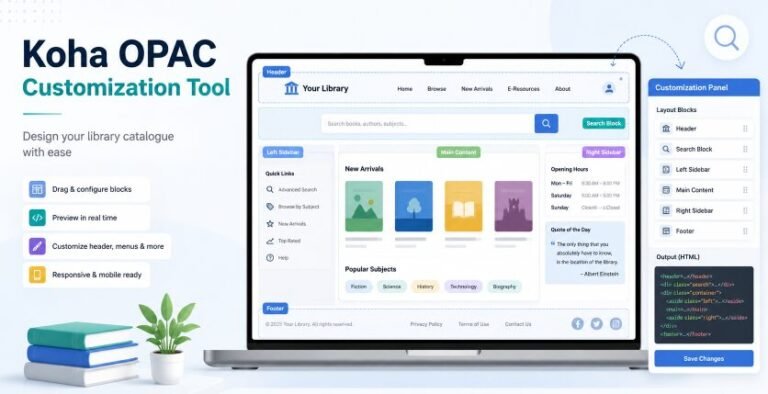
- OPAC customization tools
- Data cleanup tools
- Report generators
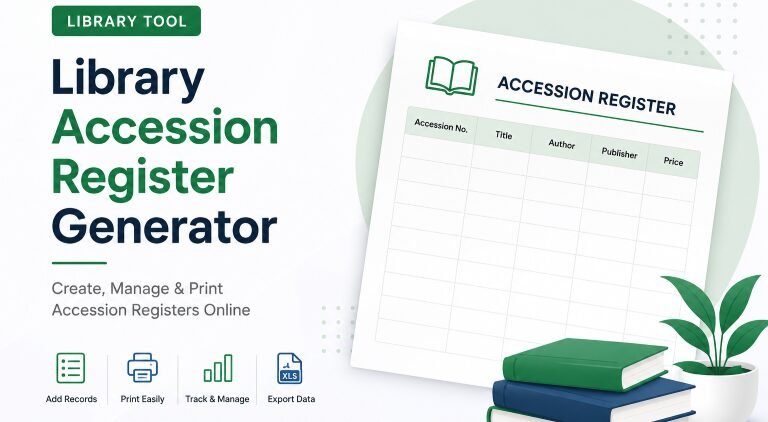
For example, a barcode generator helps libraries create barcode labels for books. An Excel to MARC converter can help convert spreadsheet records into a format used by library management systems. A citation generator helps students and researchers prepare references more easily.
These tools are especially helpful for librarians who manage repetitive tasks. A small tool used daily can save many hours over a year.
Library Reports and SQL
Reports help librarians understand what is happening inside the library. Without reports, decisions are often based on guesswork.
- A library report can answer questions such as:
- Which books are borrowed most?
- Similarly, which users are most active?
- Which subjects are in high demand?
- How many books are overdue?
- Which items have not circulated for years?
- How many books were added this month?
- Which departments use the library most?
SQL is useful in systems like Koha because it allows advanced reporting. Librarians and system administrators can create custom reports to extract specific information from the database.
A beginner does not need to become a database expert. But understanding basic reports and data fields can make library management much stronger.
| Report type | What it helps with |
|---|---|
| Circulation report | Tracks issued and returned books |
| Overdue report | Finds late returns |
| Accession report | Shows newly added books |
| Patron report | Tracks user activity |
| Subject report | Shows collection strength |
| Usage report | Helps understand library demand |
Reports turn library data into decisions. If one subject area is heavily used, the library may need more books in that area. If some books never circulate, collection development can be improved.
Core Features of a Good Library System
A good library system should not only look modern. It should solve real library problems.
Important features include:
- Easy cataloging
- Fast search
- User-friendly OPAC
- Barcode support
- Circulation management
- Patron management
- Accession control
- Reports and analytics
- Backup options
- Role-based staff access
- Import and export support
- Documentation and community help
For a small library, simple cataloging and circulation may be enough. For a university library, advanced reporting, MARC support, repository integration, and customization may be necessary.
The system should match the library’s actual needs. A small library does not need an overly complex setup. A large academic library should not depend on a weak system that cannot scale.
How to Choose the Right Library System
Choosing a library system should not be based only on popularity. Koha is powerful, SLiMS is practical, and DSpace is excellent for digital repositories, but each one serves a different purpose.
Before choosing, ask these questions:
- How many books or records does the library have?
- How many users will use the system?
- Does the library need circulation management?
- Similarly, does it need an online catalog?
- Does it need digital repository features?
- Is technical support available?
- Can staff learn the system?
- Are backups and maintenance possible?
- Does the system support future growth?
Here is a simple guide:
| Library need | Better option |
|---|---|
| Full library automation | Koha |
| Small library automation | SLiMS |
| Institutional repository | DSpace |
| Barcode and labels | Library automation tools |
| Data analysis and usage tracking | Reports and SQL |
| Student research support | Citation and research tools |
The right system is the one your library can manage consistently.
Basic Library Automation Roadmap
Many libraries want automation but do not know where to begin. The process becomes easier when you divide it into stages.
| Stage | Action |
|---|---|
| 1 | Review current library records |
| 2 | Clean book and user data |
| 3 | Choose suitable software |
| 4 | Install and configure the system |
| 5 | Add item types, categories, and rules |
| 6 | Import or enter bibliographic records |
| 7 | Create barcode labels |
| 8 | Train library staff |
| 9 | Test circulation and OPAC |
| 10 | Start live use and maintain backups |
Do not rush implementation. Poor data entry at the start creates problems later. A library system is like a garden bed. If the soil is not prepared properly, even good seeds struggle.
Common Problems in Library System Implementation
Library system projects often face problems not because the software is bad, but because the planning is weak.
Common issues include:
- Incomplete data
- Duplicate records
- No backup plan
- Weak staff training
- Wrong circulation rules
- Poor barcode setup
- No testing before live use
- Unclear item types and patron categories
- Ignoring OPAC design
- No maintenance responsibility
A system is only as good as the people and processes behind it. Staff should understand not only where to click, but why each step matters.
Library Management Systems and User Experience
A library system should help both staff and users. Many libraries focus only on the admin side and forget the user experience.
For users, the OPAC should be simple. They should be able to search by title, author, subject, keyword, and call number. Records should be clean and understandable. The catalog should not feel like a technical database.
For staff, the system should reduce repetitive work. Circulation should be fast. Reports should be accessible. Cataloging should follow standards. User records should be easy to manage.
A good library system quietly supports daily work without making everything feel more complicated.
Library Management Systems and Digital Transformation
Modern libraries are moving beyond book storage. They support research, learning, digital access, institutional memory, and data-driven services.
Library management systems help in this transformation by connecting:
- Physical collections
- Digital repositories
- Online catalogs
- Research support tools
- Usage data
- Barcode systems
- Metadata standards
- Remote access
Digital transformation does not always mean expensive technology. Sometimes it begins with proper cataloging, a clean OPAC, barcode labels, and a reliable backup system.
Small improvements can create a big change in library service quality.
Suggested Learning Path for Beginners
If you are new to library management systems, follow this learning path:
| Step | What to learn |
|---|---|
| 1 | Basic library automation concepts |
| 2 | Cataloging and bibliographic records |
| 3 | Koha or SLiMS basics |
| 4 | Patron and circulation management |
| 5 | Barcode and label generation |
| 6 | OPAC setup and customization |
| 7 | Reports and data analysis |
| 8 | DSpace and digital repositories |
| 9 | Backup and maintenance |
| 10 | Advanced customization |
This order helps you build understanding slowly. Start with daily library operations first, then move toward advanced reporting and digital repository management.
Library Systems Resources on VWS Online
This Library Systems hub connects all guides related to library software, automation, digital libraries, and reporting.
Learn how Koha works, how to install and configure it, manage cataloging and circulation, create reports, customize OPAC, and use Koha for professional library automation.
Explore SLiMS installation, setup, cataloging, membership, circulation, reports, and practical library automation workflows for small and medium libraries.
Learn how DSpace supports institutional repositories, digital collections, metadata, document uploads, communities, collections, and academic content preservation.
Find practical tools for barcode generation, accession registers, citation support, MARC conversion, labels, OPAC customization, and other daily library tasks.
Learn how reports, SQL queries, circulation data, accession records, and usage analytics help librarians make better decisions and manage library operations.
Final Thoughts
Library management systems make libraries more organized, searchable, and useful. They help librarians save time, reduce manual errors, improve user access, and understand collections through data.
But software alone is not the full solution. A successful library system needs clean data, trained staff, proper planning, regular backups, and a clear understanding of library workflows.
Start with the basics. Understand your library’s needs. Choose the right system. Prepare your data carefully. Train users and staff. Improve one part at a time.
A modern library does not become digital in one day. It grows step by step, like a well-managed collection where every record, shelf, barcode, and system has its proper place.