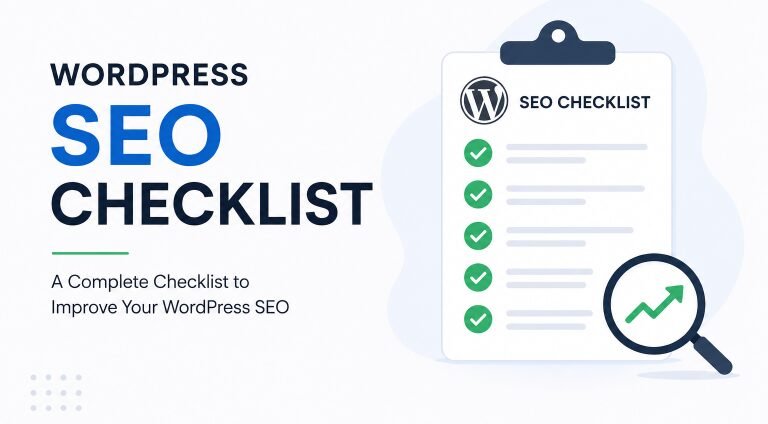
On-page SEO for WordPress is one of the easiest ways to improve your website without buying ads or waiting for backlinks. You control the page title, headings, content, images, links, layout, and user experience.
That makes on-page SEO powerful for beginners. You do not need to be a developer. You only need a clear process and the patience to improve one page at a time.
This guide explains on-page SEO from beginner to advanced level. You will learn what to optimize, why it matters, and how to apply each step inside WordPress.
What Is On-Page SEO for WordPress?
On-page SEO is the process of improving individual pages so they are easier for people and search engines to understand. It includes your content, title, URL, headings, images, internal links, schema, and page layout.
For WordPress websites, on-page SEO happens mostly inside the post editor, page editor, SEO plugin settings, media library, and theme layout. You can control most of it without touching code.
A simple example is a blog post title. “SEO Tips” is vague. “On-Page SEO for WordPress: Complete Beginner Guide” is clearer because it tells readers the topic, platform, and audience.
Good on-page SEO helps Google understand your page. It also helps readers decide whether your page is worth reading.
On-Page SEO vs Technical SEO vs Off-Page SEO
On-page SEO focuses on the page itself. Technical SEO focuses on the website’s crawlability, speed, code, and structure. Off-page SEO focuses on signals outside your website, such as backlinks and brand mentions.
Here is the simple difference:
| SEO Type | What It Covers | WordPress Example |
| On-Page SEO | Content, titles, headings, links, images | Optimizing a blog post title |
| Technical SEO | Speed, indexing, sitemap, mobile, code | Fixing Core Web Vitals |
| Off-Page SEO | Backlinks, mentions, reputation | Getting linked from a trusted blog |
Many beginners mix these together. That creates confusion. For example, writing a better title is on-page SEO. Submitting an XML sitemap is technical SEO. Getting a guest post link is off-page SEO.
All three matter. But on-page SEO is usually the best starting point because you can improve it today.
Why On-Page SEO Matters for WordPress Websites
On-page SEO matters because every ranking page needs a clear purpose. Google needs to understand the topic, and users need to trust the answer quickly.
A well-optimized WordPress page can improve rankings, clicks, engagement, conversions, and AdSense revenue. It can also help old content perform better without writing a brand-new post.
For example, a page ranking in position eight may already have potential. If you improve the title, introduction, headings, internal links, and content depth, it may move higher over time.
On-page SEO also helps your site feel more professional. Readers stay longer when the article is easy to read, answers their question quickly, and guides them to the next useful step.
Start With Search Intent Before Editing the Page
Search intent means the reason behind a search. Before you optimize a WordPress page, ask what the searcher really wants.
Someone searching for “what is on-page SEO” is usually looking for a simple explanation of the concept. In contrast, a search for “best on-page SEO tool” suggests the user wants to compare different tools and their features. Meanwhile, someone searching for “WordPress SEO expert near me” is likely looking to hire a local SEO professional or agency.
Use this table before writing:
| Search Intent | User Wants | Best Page Type |
| Informational | Learn something | Blog post or guide |
| Commercial | Compare options | List or comparison post |
| Transactional | Buy or sign up | Product or landing page |
| Local | Find nearby help | Local service page |
| Navigational | Reach a specific brand | Homepage or brand page |
This article targets informational intent. That means the page should teach clearly, answer common questions, and avoid sounding like a sales pitch.
If you match search intent well, users are more likely to stay. If you miss the intent, even strong writing may struggle.
Choose One Primary Keyword and Supporting Terms
Every important WordPress page should have one primary keyword. This is the main phrase you want the page to rank for.
For this article, the primary keyword is:
“On-page SEO for WordPress”
Supporting terms could include:
- WordPress on-page SEO
- on-page SEO checklist
- SEO title
- meta description
- internal links
- image alt text
- schema markup
- WordPress SEO plugin
- search intent
- content optimization
Do not force every keyword into the article. Use them naturally where they fit. Google can understand related terms, synonyms, and context.
A good page covers the topic fully. It does not repeat the same phrase in every paragraph.
Write an SEO Title That Gets Clicks
Your SEO title is the title that may appear in search results. It should explain the page clearly and give users a reason to click.
A weak title looks like this:
“On-Page SEO”
A better title looks like this:
“On-Page SEO for WordPress: Complete Beginner to Advanced Guide”
The better title works because it includes the topic, platform, audience level, and value. It feels specific, not generic.
Use these title formulas:
| Formula | Example |
| Topic + Platform + Benefit | On-Page SEO for WordPress: Boost Rankings |
| Complete Guide | On-Page SEO for WordPress: Complete Guide |
| Beginner Angle | On-Page SEO for WordPress Beginners |
| Checklist Angle | WordPress On-Page SEO Checklist |
| Problem/Solution | Why Your WordPress Posts Are Not Ranking |
Keep the title honest. Do not promise instant rankings. Clickbait may get attention, but it can hurt trust when the content disappoints.
Create a Clean WordPress URL Slug
Your URL slug should be short, readable, and focused. In WordPress, you can edit the slug under the post title or inside your SEO plugin panel.
Good slug:
on-page-seo-for-wordpress
Weak slug:
complete-beginner-advanced-on-page-seo-guide-for-wordpress-websites-2026-final
A clean slug is easier to read, share, and update later. It should usually include the main keyword without extra words.
Use lowercase letters and hyphens between words. Avoid underscores, random numbers, and unnecessary dates.
If your content is evergreen, avoid adding the year to the URL. You can update the title each year without changing the slug.
Write a Meta Description That Matches the Page
A meta description is a short summary of your page. Google may rewrite it, but a good description can still improve how your result looks.
A strong meta description tells users what they will learn.
Example:
“Learn on-page SEO for WordPress with simple steps for titles, headings, content, URLs, images, links, schema, and rankings.”
This works because it is clear, specific, and useful. It does not sound spammy.
A weak meta description looks like this:
“Best SEO tips SEO guide SEO ranking WordPress SEO fast.”
That looks forced and does not help the reader.
Write a unique description for each important page. Duplicate descriptions make your site look unclear.
Use One H1 and a Helpful Heading Structure
Your H1 is the main title of the page. In most WordPress themes, the post title automatically becomes the H1.
Use one H1. Then use H2 headings for main sections and H3 headings for smaller points inside those sections.
A good heading structure helps readers scan the page. It also helps search engines understand the main topics covered.
Weak headings:
- More Tips
- Important Things
- Extra Ideas
Better headings:
- How to Write an SEO Title
- How to Optimize WordPress Images
- How to Add Internal Links
Each heading should be useful on its own. A reader should know what the section will explain before reading it.
Write an Introduction That Solves the Reader’s First Doubt
Your introduction should not waste time. It should quickly tell readers what the page is about and why it helps them.
A good introduction has four parts:
- The reader’s problem.
- Why the problem matters.
- What the guide covers.
- What result the reader can expect.
Weak introduction:
“In today’s digital world, SEO is very important for all websites.”
Better introduction:
“On-page SEO helps WordPress pages rank by improving titles, headings, content, images, links, and layout. This guide shows beginners how to optimize each part without coding.”
The better version gets to the point. It respects the reader’s time.
For AdSense websites, a strong introduction matters because users often leave quickly if the page feels slow, vague, or generic.
Optimize the Main Content for Depth and Clarity
Good on-page SEO starts with useful content. A page cannot rank well for long if it does not answer the searcher’s question properly.
Depth does not mean adding random words. It means covering the topic completely enough for the reader’s intent.
For example, a beginner searching “on-page SEO for WordPress” may need:
- A simple definition.
- WordPress-specific steps.
- SEO title examples.
- Meta description examples.
- Heading structure help.
- Image SEO steps.
- Internal link advice.
- Schema basics.
- Mistakes to avoid.
- A checklist.
If your article covers only three of these, the reader may return to Google. That is not a good sign.
Add practical examples wherever possible. Compare weak and strong SEO titles to understand what makes a title more effective. Next, look at examples of bad and good image alt text to learn how to write descriptive, SEO-friendly alternatives. Finally, explore a well-structured blog post layout to see how headings and sections improve readability and search engine optimisation.
Use Keywords Naturally Without Stuffing
Keyword stuffing means repeating keywords too many times in an unnatural way. It makes content hard to read and can damage trust.
Use your primary keyword in important places when it fits naturally:
- SEO title.
- URL slug.
- Introduction.
- One or two headings.
- Body content.
- Image alt text, when relevant.
- Meta description.
Do not force it everywhere.
Bad example:
“On-page SEO for WordPress is important because on-page SEO for WordPress helps WordPress on-page SEO rankings.”
Good example:
“On-page SEO helps WordPress pages become clearer, more useful, and easier for search engines to understand.”
The good version sounds natural. It still supports the topic without annoying the reader.
Add Internal Links to Build Topic Authority
Internal links connect related pages on your website. They help users find more helpful content and help Google understand your site structure.
For WordPress, internal linking is simple. Highlight relevant text in the editor, click the link button, and search for the related post.
Example internal links for this article:
| Mentioned Topic | Link To |
| WordPress SEO checklist | WordPress SEO Checklist |
| Google Search Console | Search Console Setup Guide |
| Site speed | WordPress Speed Optimization |
| Schema markup | How to Add Schema in WordPress |
| AdSense | AdSense Approval Guide |
Use descriptive anchor text. Avoid vague text like “click here” or “read more” when possible.
Good anchor text:
“WordPress speed optimization checklist”
Weak anchor text:
“this article”
Also add links from older posts to your new article. Many beginners forget this step.
Add External Links Where They Help the Reader
External links can improve trust when they support factual claims. Use them for official documentation, research, statistics, policies, and tools.
For an SEO article, useful external links may include Google Search Central, WordPress documentation, PageSpeed Insights, or official plugin documentation.
Do not add external links just for decoration. Add them when they help readers verify something or learn more.
A good rule is simple. If a claim is important and factual, support it with a trusted source.
External links are especially useful for E-E-A-T. They show readers that your article is not based only on opinion.
Optimize Images for SEO and Speed
Images can help SEO, but only when they are relevant, compressed, and described properly.
Before uploading an image to WordPress, rename the file. Use words that describe the image.
Bad file name:
IMG_4728.jpg
Good file name:
wordpress-on-page-seo-title-example.webp
Next, compress the image. Large images slow down your page, especially on mobile.
Use alt text to describe the image. Alt text helps accessibility and gives search engines more context.
Bad alt text:
“SEO SEO WordPress ranking Google on-page SEO”
Good alt text:
“WordPress editor showing an optimized SEO title.”
Use captions when they add useful context. Do not add captions under every image if they repeat the same information.
Improve Readability and User Experience
Readability is part of on-page SEO because users need to understand your content easily.
A page with long blocks of text feels heavy. A page with short paragraphs, clear headings, tables, and examples feels easier to read.
Use these readability habits:
- Keep paragraphs short.
- Use simple words when possible.
- Break long sections with headings.
- Add examples after explanations.
- Use tables for comparisons.
- Use numbered steps for processes.
- Avoid unnecessary jargon.
- Make font size comfortable.
- Check mobile spacing.
- Keep ads away from key answers.
For a beginner audience, clarity beats cleverness. A simple sentence that helps the reader is better than a complex sentence that sounds impressive.
Add Schema Markup in WordPress
Schema markup is structured data that helps search engines understand page details. WordPress users can usually add schema through SEO plugins.
Common schema types include:
| Schema Type | Best For |
| Article Schema | Blog posts and guides |
| FAQ Schema | FAQ sections |
| Breadcrumb Schema | Site navigation |
| Product Schema | Product pages |
| Review Schema | Eligible review pages |
| Local Business Schema | Local service websites |
| Organization Schema | Brand information |
For this article, Article schema and FAQ schema are suitable. Breadcrumb schema is also helpful if your theme or SEO plugin supports it.
Do not add fake schema. If the FAQ does not appear on the page, do not mark it up. If you do not show real reviews, do not add review schema.
Schema should describe visible, accurate content.
Optimize Featured Snippet and AI Search Readiness
Featured snippets and AI-style search results often prefer clear, direct, well-structured answers. That means your content should answer important questions quickly.
Use simple definitions near the top of important sections.
Example:
“On-page SEO is the process of optimizing a page’s content, title, headings, images, links, and structure so users and search engines can understand it better.”
That sentence is clear and easy to extract.
Helpful formats include:
- Short definitions.
- Numbered steps.
- Comparison tables.
- Checklists.
- FAQs.
- Clear examples.
- Direct answers before deeper explanation.
Do not hide the answer under a long introduction. Give the useful answer first, then explain it.
This helps readers and search systems understand your content faster.
Improve Category and Tag Page SEO
WordPress category and tag pages can either help your SEO or create thin pages. It depends on how you use them.
Categories should group major topics. Tags should describe smaller details. Beginners often create too many tags, which can create many weak archive pages.
Good categories for a WordPress SEO blog:
- WordPress SEO
- Blogging
- Website Speed
- Google Search Console
- Monetization
Weak tag strategy:
- SEO
- SEO tips
- SEO guide
- SEO ranking
- SEO Google
- SEO blog post
That creates clutter.
For important categories, add a short category description. Explain what the category covers and link to your best posts.
If tag pages are thin and not useful, consider noindexing them through your SEO plugin.
Optimize WordPress Landing Pages
Landing pages need on-page SEO too. A service page, homepage, local page, or product page should not be treated like a blog post.
A blog post teaches. A landing page guides users toward action.
For a WordPress service page, include:
- Clear H1.
- Short opening promise.
- Service benefits.
- Who the service is for.
- Process or steps.
- Pricing guidance, if possible.
- FAQs.
- Testimonials or proof.
- Internal links.
- Strong call to action.
For a local USA service page, include location terms naturally. Do not stuff city names.
Weak local sentence:
“We provide SEO services New York SEO services Brooklyn SEO services Queens SEO services.”
Better local sentence:
“We help small businesses in New York improve WordPress pages with clearer content, faster layouts, and stronger local search signals.”
The better version sounds human and trustworthy.
Add E-E-A-T Signals on the Page
E-E-A-T stands for experience, expertise, authoritativeness, and trustworthiness. It is especially important for topics where wrong advice can harm users.
For WordPress on-page SEO content, E-E-A-T can come from practical experience, examples, screenshots, clear sources, and transparent authorship.
Add these elements where possible:
| Trust Signal | Example |
| Author Bio | “Written by a WordPress SEO editor” |
| Real Experience | “Tested on a 50-post WordPress blog” |
| Updated Date | “Updated June 2026” |
| Sources | Links to official Google guidance |
| Screenshots | WordPress editor or plugin settings |
| Editorial Policy | Explains how content is reviewed |
| Contact Page | Shows users how to reach you |
Generic content is everywhere. Real examples make your content feel useful and trustworthy.
If you have personal experience, show it clearly. Do not pretend to test tools you did not test.
Make the Page AdSense-Friendly
If your goal is AdSense revenue, on-page SEO should also protect user experience. A page filled with ads and weak content may earn less in the long run.
AdSense-friendly pages usually have:
- Original content.
- Clear navigation.
- Helpful headings.
- Enough content above and between ads.
- Safe topics.
- Privacy policy.
- About page.
- Contact page.
- Mobile-friendly layout.
- No misleading buttons.
Do not place ads so close to buttons that users click by mistake. Do not cover the main content with popups.
For informational content, place ads naturally between sections. Let the reader reach the answer easily.
A helpful page builds trust. Trust improves repeat visits, pageviews, and long-term monetization.
Advanced On-Page SEO Tips for WordPress
Once the basics are done, advanced on-page SEO can help you improve pages that already have potential.
Start with Google Search Console. Find pages with high impressions but low clicks. These pages may need better titles and descriptions.
Then find pages ranking between positions 5 and 20. These pages may need stronger content, better internal links, updated examples, or clearer headings.
Advanced improvements include:
- Updating old introductions.
- Adding missing FAQs.
- Improving title click appeal.
- Adding comparison tables.
- Adding internal links from stronger pages.
- Combining thin posts.
- Removing duplicate sections.
- Fixing keyword cannibalization.
- Testing schema markup.
- Improving mobile layout.
Keyword cannibalization happens when multiple pages target the same keyword and compete with each other.
Example:
- On-Page SEO Tips
- On-Page SEO Checklist
- On-Page SEO Guide
If all three pages cover the same intent, combine them or make each page clearly different.
Beginner vs Advanced On-Page SEO
Beginners should fix the basics first. Advanced users should use data to improve pages with ranking potential.
| Level | Focus | Example Task |
| Beginner | Basic clarity | Add title, meta description, headings |
| Beginner | Content structure | Use short paragraphs and useful H2s |
| Beginner | Image SEO | Rename files and add alt text |
| Intermediate | Internal linking | Link cluster pages together |
| Intermediate | Schema | Add Article and FAQ schema |
| Advanced | Search Console analysis | Improve pages with high impressions |
| Advanced | Cannibalization | Merge competing posts |
| Advanced | CRO and UX | Improve layout for clicks and reading |
Do not jump to advanced tasks if your basics are weak. A clean title, strong intro, and helpful content still matter most.
On-Page SEO Checklist for WordPress
Use this checklist before publishing or updating any important WordPress page.
| # | On-Page SEO Task | Status |
| 1 | Choose one primary keyword | Not Started |
| 2 | Confirm search intent | Not Started |
| 3 | Write a clear SEO title | Not Started |
| 4 | Create a short URL slug | Not Started |
| 5 | Write a unique meta description | Not Started |
| 6 | Use one H1 | Not Started |
| 7 | Add helpful H2 and H3 headings | Not Started |
| 8 | Write a direct introduction | Not Started |
| 9 | Cover the topic fully | Not Started |
| 10 | Add practical examples | Not Started |
| 11 | Use keywords naturally | Not Started |
| 12 | Add internal links | Not Started |
| 13 | Add trusted external links | Not Started |
| 14 | Rename image files | Not Started |
| 15 | Compress images | Not Started |
| 16 | Add descriptive alt text | Not Started |
| 17 | Improve mobile readability | Not Started |
| 18 | Add schema markup | Not Started |
| 19 | Add FAQs where useful | Not Started |
| 20 | Add author or trust signals | Not Started |
| 21 | Check for duplicate content | Not Started |
| 22 | Review ad placement | Not Started |
| 23 | Preview on mobile | Not Started |
| 24 | Publish and request indexing | Not Started |
| 25 | Review performance monthly | Not Started |
Save this checklist in your content workflow. It helps you avoid missing simple but important steps.
Common On-Page SEO Mistakes Beginners Make
Beginners often make on-page SEO harder than it needs to be. Most mistakes come from rushing, copying competitors, or overusing keywords.
Avoid these common problems:
| Mistake | Better Approach |
| Keyword stuffing | Use natural language |
| Vague titles | Write specific titles |
| Long messy URLs | Use short slugs |
| Weak introductions | Answer the reader quickly |
| No internal links | Link related pages |
| Huge images | Compress before upload |
| Generic AI content | Add real examples |
| Too many tags | Use clean categories |
| No schema | Add basic schema |
| Ads above every answer | Protect user experience |
One of the biggest mistakes is copying the structure of top-ranking pages without adding anything new. That rarely creates a better result.
Ask yourself this before publishing:
“What does my page add that the current results do not?”
If you cannot answer that, improve the article before publishing.
Monthly On-Page SEO Audit Process
On-page SEO is not a one-time task. You should review important pages every month, especially pages that already get impressions.
Use this simple monthly process:
| Step | What to Do |
| 1 | Open Google Search Console |
| 2 | Find pages with impressions |
| 3 | Check low CTR pages |
| 4 | Improve SEO titles |
| 5 | Add missing sections |
| 6 | Update outdated examples |
| 7 | Add internal links |
| 8 | Fix broken links |
| 9 | Improve images |
| 10 | Recheck mobile layout |
Focus first on pages that already show signs of life. A page with impressions is easier to improve than a page nobody sees.
For example, if a page gets impressions for “WordPress meta description example,” add a stronger section with examples. Then link that section from related posts.
Final Thoughts
On-page SEO for WordPress is not about gaming Google. It is about making each page clearer, more useful, easier to read, and easier to understand.
Start with search intent. Choose one primary keyword. Write a clear title, clean slug, useful meta description, and strong introduction. Then improve headings, content depth, images, internal links, schema, and user experience.
Once the page is live, keep improving it. Use Search Console data, update weak sections, add new examples, and connect related posts.
If your WordPress pages help real readers, your SEO foundation becomes much stronger.
FAQs
On-page SEO in WordPress means optimizing individual posts and pages so they are easier for users and search engines to understand. It includes titles, URLs, headings, content, images, links, schema, and layout.
Most on-page SEO tasks can be done inside the WordPress editor and your SEO plugin settings.
On-page SEO is important, but it is not the only ranking factor. You also need technical SEO, useful content, internal links, backlinks, trust signals, and a good user experience.
For low-competition keywords, strong on-page SEO can make a big difference.
Yoast SEO, Rank Math, and All in One SEO are popular choices. All can help with titles, meta descriptions, sitemaps, schema, and content checks.
Use one main SEO plugin only. Multiple SEO plugins can create conflicts.
Use one primary keyword and several related terms naturally. Do not repeat the main keyword too many times.
Focus on answering the topic fully instead of forcing exact-match phrases.
Use the primary keyword naturally in the SEO title, URL slug, introduction, headings, body content, and meta description. You can also use it in image alt text when the image is relevant.
Do not add keywords where they sound unnatural.
Meta descriptions do not directly guarantee rankings, but they can influence clicks from search results. A clear description can help users understand why your page is useful. Write a unique description for each important page.
There is no perfect length. The article should be long enough to satisfy the search intent. A simple question may need 800 words, while a complete guide may need 2,500 words or more. Quality and completeness matter more than word count.
Yes, images can help when they explain the content, improve user experience, and are optimized properly. Use descriptive file names, compressed sizes, WebP format, and helpful alt text. Avoid uploading large images that slow down the page.
Index useful category pages if they have clear descriptions, strong organization, and helpful content. Noindex thin tag pages if they create low-value archives. Do not let WordPress generate hundreds of weak archive pages.
Review important pages every three to six months. Update faster when rankings drop, information changes, or Search Console shows new keyword opportunities.