Choosing the right open-source library automation software can save money, improve cataloging, speed up circulation, and give your library more control over its data. But the best choice depends on your library type, collection size, staff skills, hosting budget, and long-term goals.
Some libraries need a complete integrated library system for books, patrons, barcodes, OPAC, circulation, reports, and acquisitions. Others need digital library software for research papers, theses, archives, and institutional repositories. This guide compares the strongest free and open-source options in a simple way so schools, colleges, universities, public libraries, and small libraries can choose with confidence.
What Is Open-Source Library Automation Software?
Open-source library automation software helps libraries manage daily work such as cataloging, circulation, member records, barcode scanning, OPAC search, reports, serials, and sometimes acquisitions. Because it is open source, the code is available for review, customization, and community improvement.
This does not always mean the system is completely free in a practical sense. You may still need hosting, installation, migration, training, backups, technical support, and maintenance. The real benefit is control. Libraries can reduce license costs, avoid vendor lock-in, and adapt the system to local needs.
Quick Comparison of the Best Open-Source Library Systems
The table below gives a quick comparison before the detailed reviews. Use it as a starting point, not a final decision.
| Software | Best For | Main Type | Beginner Friendliness | Best Library Size |
|---|---|---|---|---|
| Koha | Schools, colleges, universities, public libraries | Full ILS | Medium | Small to large |
| DSpace | Universities, repositories, digital archives | Digital repository | Medium | Medium to large |
| Evergreen | Public library networks and consortia | Full ILS | Advanced | Medium to large |
| OPALS | School, special, and hosted libraries | Automated library system | Easy to medium | Small to large |
| SLiMS | Small libraries and schools | Library management system | Easy | Small to medium |
| NewGenLib | Traditional library automation | Integrated library system | Medium | Small to medium |
| PMB | Libraries and documentation centers | Integrated library system | Medium | Small to large |
| OpenBiblio | Very small libraries | Simple ILS | Easy | Small |
| ABCD | ISIS-based environments | Library/database automation | Advanced | Specialized |
| BiblioteQ | Cataloging and collection management | Cataloging suite | Medium | Small to medium |
| INLISLite | Indonesian libraries and institutions | Library automation system | Medium | Small to medium |
1. Koha
Koha is one of the most popular choices for open-source library automation software. It is a fully integrated library system, which means it can support cataloging, circulation, patron management, OPAC, acquisitions, serials, reports, barcode workflows, and many other library tasks.
The official Koha website describes Koha as the world’s first free and open-source library system and a fully featured, scalable library management system. Koha is developed by a global community of libraries, volunteers, and support companies.
- Best for: schools, colleges, universities, public libraries, and special libraries.
- Not ideal for: users who want a one-click setup with no technical support.
- Recommendation: choose Koha if your library wants long-term automation and can manage hosting, support, and backups.
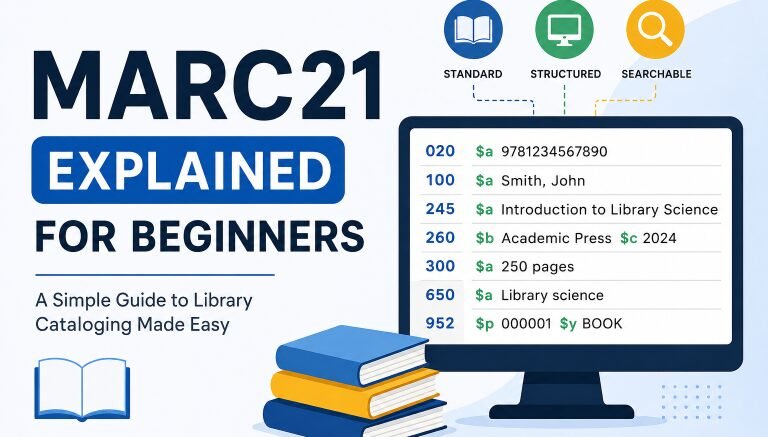
If you already use Koha, you may also find these helpful: Koha Barcode Generator, Koha Troubleshooting Guide, and MARC21 Explained for Beginners.
2. DSpace
DSpace is not a traditional circulation-based library system like Koha. It is better understood as digital library software or institutional repository software. It is used for preserving and providing access to digital content such as theses, research papers, reports, datasets, images, and institutional publications.
Choose DSpace if your university, research center, archive, or institution wants to build a repository for digital materials. Do not choose DSpace as your main circulation system for issuing and returning physical books.
- Best for: universities, research repositories, theses, archives, and digital collections.
- Not ideal for: normal barcode-based book circulation.
- Recommendation: use DSpace when your main goal is digital preservation and open access.
For technical setup help, read the separate DSpace Docker Setup Guide.
DSpace free tools: DSpace & Repositories Tools
3. Evergreen
Evergreen is an open-source integrated library system designed especially for larger libraries, public library networks, and consortia. If many branches need to share one system, Evergreen becomes a serious option.
Evergreen is powerful, but it is not usually the easiest first choice for a small school library with limited technical help. It fits better when the library has technical support, multiple branches, or a consortium model.
- Best for: public library systems, consortia, shared catalogs, and multi-branch networks.
- Not ideal for: very small libraries with no technical support.
- Recommendation: choose Evergreen if your library network needs scale and shared circulation.
4. OPALS
OPALS is an automated library system used by schools, special libraries, and organizations that want a web-based library platform with support options. It can be attractive for libraries that prefer a supported environment instead of a fully self-managed server.
- Best for: school libraries, special libraries, and libraries wanting hosted support.
- Not ideal for: libraries that want full server-level control.
- Recommendation: consider OPALS if ease of use and support are more important than deep customization.
5. SLiMS
SLiMS, also known as Senayan Library Management System, is a free and open-source library management system that is popular with small and medium libraries. It is web-based and can support bibliography, circulation, membership, reporting, barcode tools, and backup utilities.
SLiMS is a good option for schools, small institutional libraries, and libraries that want a lighter system than Koha. It may be easier for beginners in some environments, but large academic libraries may still prefer Koha or Evergreen.
- Best for: schools, small libraries, and lightweight automation.
- Not ideal for: complex multi-branch academic or public library networks.
- Recommendation: choose SLiMS if you want a practical open-source LMS with a lighter setup.
Read also: Library Automation in SLiMS
6. NewGenLib
NewGenLib is an integrated library automation system with modules for acquisitions, cataloging, serials, circulation, administration, OPAC, and reports.
It can be considered by libraries that want a traditional ILS and are comfortable checking documentation, support availability, and update activity carefully before adoption.
- Best for: libraries looking for a traditional integrated library automation system.
- Not ideal for: libraries that need the largest global community or very active modern ecosystem.
- Recommendation: evaluate NewGenLib carefully against Koha and SLiMS before choosing it for a new project.
7. PMB
PMB is a flexible open-source integrated library system used by libraries and documentation centers. It can manage and promote physical and digital documents, making it useful for libraries that need a mix of cataloging and documentation workflows.
- Best for: libraries, documentation centers, and mixed physical/digital document management.
- Not ideal for: beginners who need the widest English-language support community.
- Recommendation: consider PMB if its feature set and support ecosystem match your region and workflow.
8. OpenBiblio
OpenBiblio is a simple open-source library system written in PHP. It is designed for basic library automation tasks such as OPAC, circulation, cataloging, and staff administration.
OpenBiblio is best for small libraries that need a basic system and do not require advanced workflows. It is not the best choice for a large university or a multi-branch public library.
- Best for: very small libraries and simple cataloging needs.
- Not ideal for: large libraries, complex reporting, or advanced automation.
- Recommendation: choose OpenBiblio only when your needs are simple and your collection is small.
9. ABCD
ABCD is a free and open-source library automation solution based on ISIS/CDS-ISIS technology. It is more specialized than beginner-friendly systems like SLiMS or OpenBiblio.
ABCD may be relevant for institutions already connected to ISIS-based workflows or libraries that need this kind of database flexibility.
- Best for: specialized ISIS/CDS-ISIS-based library and documentation environments.
- Not ideal for: beginners who want a modern, simple web-based library system.
- Recommendation: consider ABCD only if your team understands its database model and has a clear reason to use it.
10. BiblioteQ
BiblioteQ is an archiving, cataloging, and library management suite. It is different from full web-based ILS platforms like Koha or Evergreen.
BiblioteQ can be useful for cataloging and managing collections, but it may not be the best option for a full web-based library automation project with circulation, OPAC, patrons, and multi-branch workflows.
- Best for: cataloging, archiving, and collection management.
- Not ideal for: full institutional library automation at scale.
- Recommendation: use BiblioteQ when you need a collection-management tool, not a full ILS.
11. INLISLite
INLISLite is a library automation system developed in Indonesia. It can be useful for Indonesian libraries or institutions that need a system aligned with local library automation practices.
For libraries outside Indonesia, INLISLite should be compared carefully with Koha, SLiMS, and other globally supported systems.
- Best for: Indonesian libraries and institutions needing local library automation support.
- Not ideal for: global libraries that need a broader international support ecosystem.
- Recommendation: consider INLISLite if your library operates in an Indonesian context or already follows INLISLite workflows.
Best Open-Source Library Software for Schools
School libraries usually need simple cataloging, student or member records, barcode circulation, OPAC access, reports, and easy staff training. They also need a system that does not require heavy server management every day.
| School Library Need | Best Options |
|---|---|
| Simple setup | SLiMS, OPALS, OpenBiblio |
| Strong long-term system | Koha |
| Barcode circulation | Koha, SLiMS, OPALS |
| Small collection | SLiMS, OpenBiblio |
| Hosted/support preference | OPALS |
| Local Indonesian school context | INLISLite |
For most schools, the best choices are Koha, SLiMS, or OPALS. Koha is stronger for long-term growth. SLiMS is lighter and practical for smaller libraries. OPALS can be attractive if the school wants a more supported environment.
Best Open-Source Library Software for Universities
Universities usually need more than basic cataloging. They often need MARC21 support, authority control, OPAC, reports, multi-branch support, digital repository options, and long-term data planning.
| University Need | Best Option |
|---|---|
| Full library automation | Koha |
| Institutional repository | DSpace |
| Multi-branch or network model | Evergreen |
| Documentation center | PMB |
| Traditional ILS alternative | NewGenLib |
| Lightweight departmental library | SLiMS |
For many universities, the strongest combination is Koha + DSpace. Koha handles the library system side, while DSpace handles digital research content, theses, institutional publications, and repository workflows.
Koha vs DSpace vs Evergreen vs SLiMS
These four tools are often compared, but they do not solve the same problem. Koha and Evergreen are full library automation systems. DSpace is a repository platform. SLiMS is a lighter library management system for smaller and medium libraries.
| Feature | Koha | DSpace | Evergreen | SLiMS |
|---|---|---|---|---|
| Main purpose | Library automation / ILS | Digital repository | Library automation / ILS | Library management |
| Best for | Schools to universities | Research repositories | Consortia and networks | Small to medium libraries |
| Barcode circulation | Yes | Not primary focus | Yes | Yes |
| OPAC | Yes | Repository interface | Yes | Yes |
| Digital preservation | Limited compared to DSpace | Strong | Limited compared to DSpace | Basic |
| Beginner difficulty | Medium | Medium | Advanced | Easy to medium |
Choose Koha if you need a full library system. Similarly, choose DSpace if you need a repository. Choose Evergreen if you manage a large library network. Choose SLiMS if you want a lighter system for a small or medium library.
How to Choose the Right Open-Source Library Automation Software
Start with your library’s real needs. Do not choose software only because it is popular. A small school library and a university repository do not need the same system.
| Question | Why It Matters |
|---|---|
| Do we need circulation? | Choose an ILS like Koha, Evergreen, SLiMS, or OPALS |
| Do we need a digital repository? | Choose DSpace |
| Do we need barcode support? | Check circulation and label workflows |
| Do we use MARC21? | Choose a system with strong cataloging support |
| Do we have technical staff? | Avoid complex systems without support |
| Do we need multi-branch support? | Consider Koha or Evergreen |
| Do we need hosted support? | Consider OPALS or a support provider |
| Do we need local-language support? | Check translations and local community |
A good library automation decision is not just about software features. It is also about data migration, staff training, hosting, backups, maintenance, and long-term support.
Common Mistakes When Choosing Library Software
Many libraries make the same mistakes when selecting free or open-source systems. Avoiding these mistakes can save time and prevent expensive migration problems later.
| Mistake | Why It Hurts | Better Approach |
|---|---|---|
| Choosing DSpace for normal circulation | DSpace is a repository, not a full ILS | Use Koha or SLiMS for circulation |
| Ignoring backups | Data loss risk | Plan backup and restore from day one |
| Choosing based only on “free” | Hosting and support still cost money | Calculate total cost |
| No barcode plan | Circulation becomes messy | Plan barcode format early |
| No staff training | System adoption fails | Train staff before launch |
| No test migration | Data errors appear after launch | Test with sample data first |
| Ignoring community/support | Hard to solve problems | Choose active software with documentation |
Final Recommendation: Which Software Should You Choose?
Here is the simplest recommendation by library type.
| Library Type | Recommended Software |
|---|---|
| Small school library | SLiMS, OPALS, or Koha |
| Growing school library | Koha |
| College library | Koha |
| University library | Koha + DSpace |
| Public library network | Evergreen |
| Digital repository | DSpace |
| Small community library | OpenBiblio or SLiMS |
| Documentation center | PMB |
| ISIS/CDS-ISIS-based environment | ABCD |
| Collection cataloging project | BiblioteQ |
| Indonesian library context | INLISLite |
For most libraries that need full automation, Koha is the strongest all-around choice. Similary, for digital repositories, DSpace is the better choice. For smaller libraries that need a lighter system, SLiMS and OPALS are worth considering.
FAQs About Open-Source Library Automation Software
Open-source library automation software helps libraries manage cataloging, circulation, members, OPAC, barcodes, reports, and other daily tasks. The source code is open for review, customization, and community development.
Koha is one of the best overall choices because it is a full-featured, scalable open-source integrated library system used by many types of libraries worldwide.
DSpace is one of the best options for digital libraries, institutional repositories, theses, research papers, and digital archives. It is designed for preserving and providing access to digital content.
Koha, SLiMS, and OPALS are strong options for schools. Koha is better for long-term growth, SLiMS is lighter for smaller libraries, and OPALS is useful for schools that prefer a supported automated library system.
Universities often benefit from Koha for library automation and DSpace for institutional repository needs. Evergreen may also fit large networks or consortia.
The software may be free to download, but the full project can still cost money. Hosting, setup, migration, backups, staff training, customization, and support may require a budget.
No. Koha is a library automation system for cataloging, circulation, patrons, and OPAC. DSpace is repository software for digital content such as theses, research papers, and institutional archives.
OpenBiblio can still be useful for very small libraries that need simple OPAC, circulation, cataloging, and staff administration features. It is not the best choice for complex or large-scale automation.
For a small library, SLiMS, OpenBiblio, or OPALS may be easier to start with. If the library expects future growth, Koha is often a stronger long-term option.
Check your collection size, circulation needs, MARC21 support, barcode workflow, hosting budget, technical skill level, migration plan, backup plan, and support options.
Useful Official Project Links
For deeper research, visit the official project websites before making a final decision: